How Should You Remove Former Staff and Connected-App Access?

Practical steps for Australian small business owners, with an official-source checklist and a worked hypothetical example.
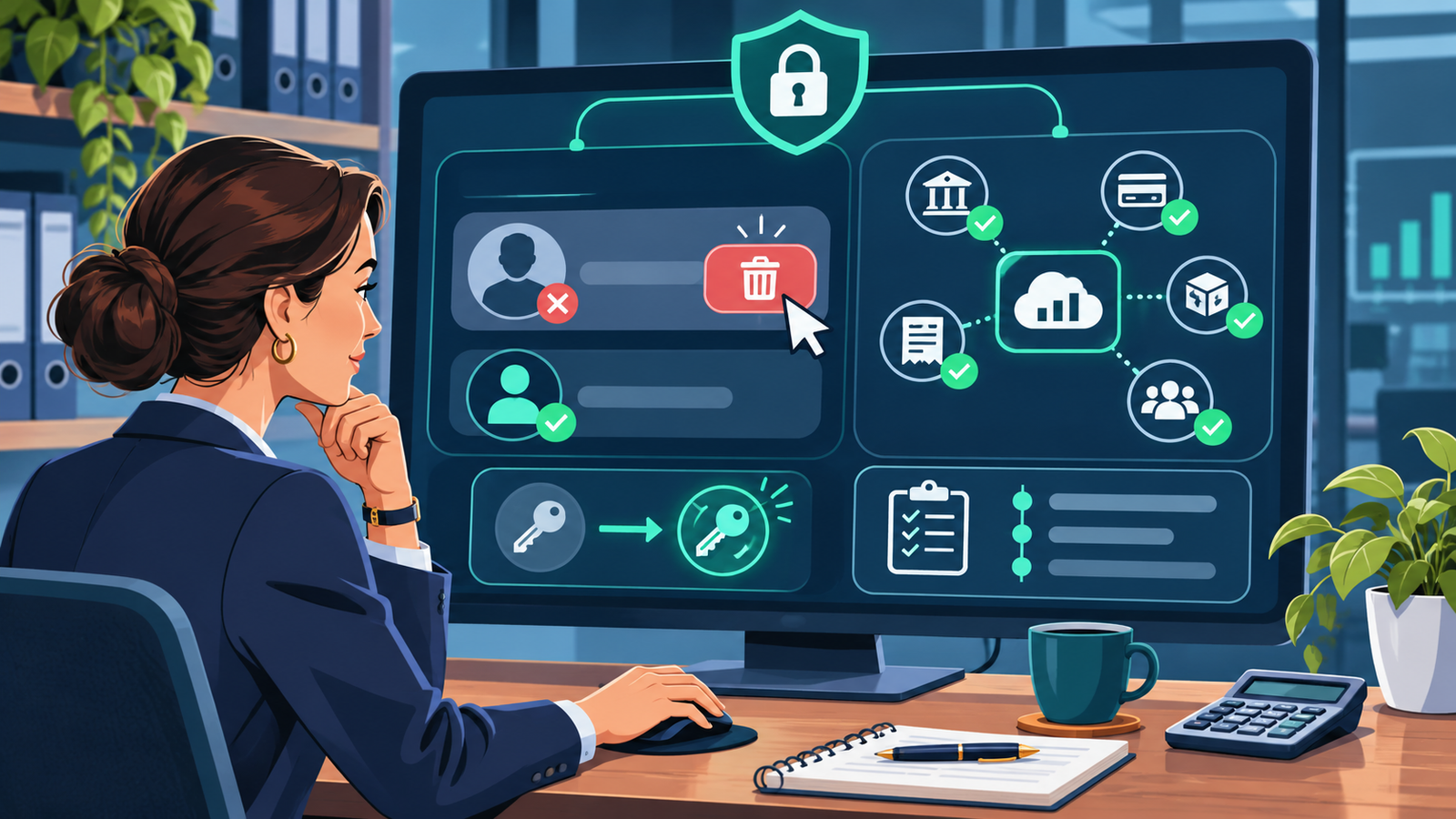
Business owner removes former staff access and reviews connected accounting apps, administrator keys and audit records on secure screen

Direct answer: Remove a departing person’s individual access promptly, but first transfer authorised administration, recovery details and unfinished work. Check accounting software, payroll, banking, document storage and every connected app separately because removing one software user may not revoke another login or integration.

This guide is for Australian small businesses, including Epping, Melbourne and Victoria. Follow each provider’s current access and recovery process.

What should be inventoried before the final day?

List the accounting organisation, payroll portal, bank feeds, payment services, expense tools, document storage, email integrations, reporting apps and administrator accounts. Record the person’s role in each system.

What must be transferred before an administrator is removed?

Assign a current authorised administrator, recovery email, multi-factor authentication method, billing owner and support contact. Confirm that the replacement can manage users before removing the departing administrator.

How should a user be removed from the accounting platform?

Use the platform’s user and permission controls rather than sharing or changing the departing person’s password. Xero documents which roles can add or remove users and change permissions. Confirm the current interface and your own role before acting.

Why must connected apps be reviewed separately?

Connected apps can retain their own authorisation. Xero explains that authorised users can update or disconnect apps from the Connected Apps area. Review the connection owner, permissions, data flow and whether a replacement token is required.

What other access paths are easy to miss?

Check bank logins, payment approvals, payroll self-service, shared mailboxes, API keys, browser sessions, mobile devices and password-manager entries. Do not assume the main ledger controls every connected service.

Should historical transactions or audit logs be deleted?

No. Removing a login should not erase financial records, approvals or audit history. Preserve the source documents and supported transaction trail. Correct errors through the platform’s current process.

How should unfinished work be handed over?

Transfer pending reconciliations, approval queues, scheduled reports, exceptions and due dates to a named owner. Record what is complete, what remains open and which evidence supports the handover.

How do you verify that offboarding worked?

Have an authorised person review the active user list, roles, connected apps and high-risk permissions. Confirm critical tasks still work for remaining staff and record any temporary access with an expiry date.

Accounting access offboarding checklist

  • Inventory every finance, payroll and banking system.
  • Transfer administrator, recovery and billing control.
  • Remove the individual login from each platform.
  • Disconnect or reauthorise connected apps separately.
  • Preserve records, audit history and business files.
  • Verify the active-user list and document completion.

Hypothetical example: a bookkeeper changes roles

Hypothetical example: A Melbourne retailer changes bookkeepers. The owner assigns a new administrator, transfers pending reconciliations, removes the former user, checks payroll and banking access, and disconnects an unused receipt app. The audit history remains available. The business is invented.

What do owners often ask?

Should the replacement use the former employee’s login?

No. Create an individual account with the minimum permissions required for the new role.

Does removing a software user disconnect every app?

Not necessarily. Review each connected app, bank permission and separate service directly.

What if the former user was the only administrator?

Use the provider’s documented recovery or support process and keep evidence of the request. Do not create an untracked shared login.

Where can you continue?

Read the live parent guide, explore Accounting System Management, or visit the TNS Accounting homepage.

Sources checked on 24 November 2026

Published by TNS Accounting. General information only; confirm current product controls and the business’s obligations.
Share this :

Published by TNS Accounting

Practical accounting and bookkeeping resources for Australian small business owners. Check each guide’s sources and review date, and contact us about your business circumstances.

One Response

Leave a Reply

Your email address will not be published. Required fields are marked *

Frequently Asked Questions

Accounting & Bookkeeping FAQs

Bookkeeping Services

Our bookkeeping support covers transaction recording, expense tracking, bank reconciliation and organised financial records. We agree the work around your transaction volume, existing software and reporting needs.

Weekly updates suit businesses with frequent transactions or close cash flow monitoring. Monthly bookkeeping may suit smaller operations. The right schedule keeps records useful between reporting deadlines.

Contact us to review the periods and records involved. We can discuss a catch-up plan covering missing transactions, unreconciled balances and outstanding documents before setting an ongoing schedule.

Bank reconciliation compares your accounting records with bank statements. Reviewing differences helps identify missing entries, duplicate transactions, bank fees and timing issues before reports are prepared.

Yes. Clear records help sole traders and startups understand income, expenses and outstanding payments. Bookkeeping also gives your accountant organised information for preparing financial statements and tax returns.

Have bank and credit card statements, sales invoices, supplier bills, receipts and relevant payroll records ready. We will identify any additional documents needed after reviewing your business and accounting system.

Yes. Recording customer invoices and supplier bills creates a clearer picture of amounts owed to and by your business. Regular reviews help you plan follow-ups and upcoming payments.

Consider outsourcing when records fall behind, reconciliation takes too much time or reports are hard to trust. A discussion with TNS Accounting can help define the support your business needs.

BAS and Tax Return Support

A BAS reports applicable business taxes to the ATO, which may include GST, PAYG withholding and PAYG instalments. The sections you complete depend on your business registrations and reporting obligations.

Reconciled records make sales, purchases and tax coding easier to review. Keeping invoices and receipts available helps resolve missing information before figures are used for BAS preparation.

Common records include sales invoices, purchase invoices, bank statements and relevant payroll reports. Your reporting period, GST accounting method and business activities determine the full information required.

Your reporting cycle depends on your ATO arrangements. Check the activity statement and your ATO account for the applicable period and due date, or confirm these with your registered agent.

No. A BAS reports applicable activity statement obligations during the year. An income tax return reports income and other relevant information for an income year. Your business may need both.

TNS Accounting lists tax return support among its services. Contact us to discuss your circumstances, the records required and who will prepare and lodge the return before engaging the service.

Gather the relevant records and contact your registered tax or BAS agent promptly. The action needed depends on the reporting period, the nature of the issue and your ATO account.

Use an appropriately registered tax or BAS agent for services that require registration. Before engagement, confirm the responsible practitioner, their registration and the scope of preparation, review and lodgement.

Payroll Management

Our website lists payroll processing, employee payslips, Single Touch Payroll support and superannuation support. We agree responsibilities, approval steps and payroll deadlines around your team and pay cycle.

Employee details, tax declarations, super fund information, employment terms, pay rates and opening leave balances are typical starting points. Accurate timesheets and approved changes are also needed for each pay run.

The suitable pay cycle depends on applicable employment requirements and your business arrangements. Confirm the required frequency first, then establish a payroll calendar with clear information and approval cut-offs.

Single Touch Payroll is a way of reporting salary and wage, PAYG withholding and super information to the ATO through enabled software. Reporting generally occurs on or before payday, subject to applicable exceptions.

Payslips are part of the payroll service listed on our website. Discuss leave tracking and opening balances during setup so the software configuration matches the employee information and entitlements supplied.

Use current employee details, approved timesheets and documented pay changes. Review draft payroll reports before final approval, and reconcile payroll records regularly to identify discrepancies.

Provide the relevant dates, employment details and approved payroll instructions promptly. New starters need complete setup information; departures require a review of outstanding pay and applicable leave or other entitlements.

No. Employers retain responsibilities for employee information, entitlements, payments and compliance. An agreed payroll process should clearly identify who supplies information, reviews calculations, approves pay runs and completes reporting.

Financial Statements and Reporting

Our financial reporting services include financial statements, custom reports, cash flow analysis and performance insights. The reporting package should reflect your business structure and the decisions you need to make.

A profit and loss statement summarises income and expenses over a period. It helps you review trading performance, compare costs and understand whether the business recorded a profit or loss.

A balance sheet shows assets, liabilities and equity at a particular date. Reviewing it alongside other reports helps you understand what the business owns, owes and has invested.

Monthly reporting is a useful starting point for many small businesses. Businesses facing rapid change or tight cash flow may need more frequent reviews of selected figures.

Yes. Our website lists custom reporting as a service. Discuss the products, locations, projects or expense categories you want to monitor so reporting can be scoped around useful comparisons.

It compares planned income and expenditure with recorded results. Reviewing the differences can highlight unexpected costs, slower sales or assumptions that need changing in your next budget.

Unreconciled accounts can contain missing, duplicated or incorrectly allocated entries. Reviewing balances first improves the reliability of the figures used in financial statements and management reports.

Discuss report interpretation when agreeing your service package. A useful review explains major movements, outstanding balances and cash flow trends so the figures support practical business decisions.

General Accounting

TNS Accounting lists daily bookkeeping, bank reconciliation, expense tracking and ledger management within its general accounting services. We discuss your records and reporting needs before defining the work.

Bookkeeping focuses on recording and organising transactions. Accounting uses those records to prepare, review and interpret financial information. The two functions work together to support reliable business reporting.

The general ledger groups recorded transactions into accounts such as sales, expenses, assets and liabilities. Accurate ledger entries provide the foundation for reconciliations and financial reports.

A chart of accounts is the list of categories used to record business transactions. A clear structure helps keep coding consistent and makes financial reports easier to understand.

Use separate business banking where appropriate and identify personal transactions clearly when they occur. Your accountant can explain how drawings, contributions or other owner transactions should be recorded for your structure.

Contact us to discuss the records and periods involved. Reviewing source documents, transaction categories and reconciliations helps identify entries that may need correction before reports are finalised.

Cash accounting generally records transactions when money changes hands; accrual accounting generally records income and expenses when earned or incurred. The appropriate treatment depends on the reporting purpose and applicable requirements.

Keep records current, reconcile accounts and gather supporting documents for outstanding balances. Ask your accountant for a business-specific checklist covering items such as assets, loans, inventory and payroll.

Accounting Systems and Cloud Software

Our website highlights Xero and QuickBooks alongside accounting system management. Tell us which platform you use so we can confirm the support available for your setup and requirements.

Our listed services focus on account management, data accuracy, bank reconciliation and financial reporting. The scope can be discussed around how transactions enter your system and how reports are produced.

Compare transaction volume, invoicing, payroll, reporting, integrations and user access requirements. Also consider subscription costs and the support needed to keep records accurate after setup.

No. Bank feeds import transaction information, but entries still need review and matching. Reconciliation checks that recorded balances agree with statements and helps identify duplicates or missing transactions.

Contact TNS Accounting with details of your software and the issues you are seeing. We can discuss an appropriate review of account coding, unreconciled transactions and reporting needs.

Plan the changeover date, opening balances, outstanding invoices, payroll information and historical records. Confirm the migration scope, backups and reconciliation steps before making changes.

Cloud software lets authorised users work with a shared set of financial records. Defined access roles and consistent document handling can make it easier for owners, bookkeepers and accountants to collaborate.

Use the software’s invitation and user-permission features where available. Give each person their own access and suitable permissions, enable multi-factor authentication and review access when responsibilities change.

Cash Flow and Accounts Management

Current records show incoming receipts, unpaid invoices, supplier bills and other commitments. Reviewing this information helps you understand near-term cash needs and spot issues earlier.

Profit and available cash measure different things. Unpaid customer invoices, loan repayments, equipment purchases and the timing of supplier payments can leave less cash available than profit figures suggest.

A cash flow forecast estimates money expected to come in and go out over a future period. It helps identify potential shortfalls and supports planning for upcoming commitments.

Review outstanding invoices regularly, with closer attention when cash is tight or overdue balances are growing. A weekly review can help establish consistent follow-up and identify disputed invoices.

It groups unpaid customer invoices by how long they have been outstanding. This helps prioritise follow-up and shows whether older debts are becoming a larger share of amounts owed.

Record bills promptly, check approval details and review due dates alongside available cash. A planned payment schedule helps reduce missed bills and unexpected pressure on the business bank balance.

Yes. Comparing expenses over time can highlight changes in overheads and trading costs. Consistent account coding makes the comparison more useful and helps you investigate significant movements.

Cash flow analysis and performance insights are listed within TNS Accounting’s reporting services. Discuss your priorities so the agreed reports focus on the balances and trends most useful to your business.

Working with TNS Accounting

Our listed address is 5 Demeter Street, Epping, Victoria 3076. Contact us before visiting to confirm arrangements and discuss the accounting or bookkeeping support you need.

Our website describes support for Australian businesses, including startups, sole traders and growing small businesses. Tell us about your structure, industry and current systems so we can discuss a suitable scope.

Pricing depends on transaction volume, the condition of your records, payroll needs and reporting requirements. Contact TNS Accounting for a quote based on the services and frequency your business needs.

Use our contact page, email info@tnsaccounting.com.au or call +61 479 044 331. Share a brief outline of your business, current software and the help you are looking for.

Have your business structure, accounting software, approximate monthly transaction volume and employee numbers ready. Mention outstanding reporting periods and any issues with records, payroll or cash flow.

Yes. These services are listed on our website. We can discuss how they fit together and clarify the tasks, information requirements and review schedule within your proposed package.

Confirm the handover date, completed reporting periods, reconciled balances and access arrangements. Arrange the transfer of relevant records and clarify responsibility for outstanding work before the changeover.

Explain what you handle internally and where support is needed. Agree the deliverables, frequency, responsibilities and fees before work starts, and review the scope as your business changes.

Individual Tax & BAS Returns

Starting from just $75 AUD